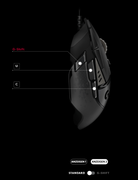
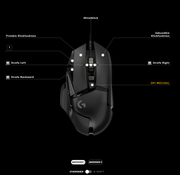
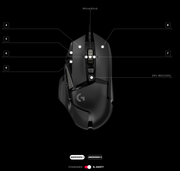
Here is an example of how I configured my Logitech 502G Hero mouse after the weapon switching times drove me crazy. It took me a while to get used to it, but now I can finally use the weapons and basic functions in a targeted, intuitive and fast way without accidentally pressing the wrong keys on the keyboard.
Quote from another Russian player I asked about conecting in from Russia: "I can't answer him yet, but he should use vpn. I have both a website and a game open with vpn. After the blocks started, neither the website nor the game opens for me, it only works with vpn etc. Unfortunately, this is a new reality."
So, it's government rules that are impacting you. Your ISP will know this 100%.
« Last post by DUKAPb on February 23, 2026, 12:22 »
Moreover, you yourself write that for some reason most russian players can't access the server without a vpn. We have more than one provider. From what you say, it follows that the problem is on your end, and that your one provider is blocking something for us =(
« Last post by DUKAPb on February 22, 2026, 18:32 »
Hey. VCTF veteran is here. I am from cyber clan (cyber TDI city map was created by my clanmates). But I can`t join to your servers now.
Because command: "open 37.187.146.47:7777" does not work for me. Also, I can`t see your server at browser (master server has changed) and in buddy. Also, can`t add to favorites. I am from Russia but my rus friend (with different provider) can join to server without any problems. And this site under heavy slow loadings for me.
Before 2022, I definitely played with you and one of your servers in my favorites. Can you do something?!
My tracert to you: Трассировка маршрута к mx1.miasma.rocks [37.187.146.47] с максимальным числом прыжков 30:
1 1 ms 1 ms <1 мс 188.242.128.1.pool.sknt.ru [188.242.128.1] 2 10 ms 7 ms 11 ms Router.sknt.ru [93.100.0.52] 3 * * * Превышен интервал ожидания для запроса. 4 10 ms 6 ms 13 ms AGG-M.GW1.sknt.ru [93.100.0.29] 5 * <1 мс <1 мс 185.37.128.127 6 * * * Превышен интервал ожидания для запроса. 7 * * * Превышен интервал ожидания для запроса. 8 43 ms 42 ms 140 ms as16276.ix.dataix.eu [178.18.224.252] 9 * * * Превышен интервал ожидания для запроса. 10 * * * Превышен интервал ожидания для запроса. 11 44 ms 39 ms 48 ms fra-fr5-sbb1-nc5.de.eu [57.128.121.50] 12 46 ms 46 ms 46 ms be105.lil2-gra1-sbb1-nc5.fr.eu [213.186.32.212] 13 48 ms 48 ms 48 ms 37.59.16.28 14 * * * Превышен интервал ожидания для запроса. 15 * * * Превышен интервал ожидания для запроса. 16 * * * Превышен интервал ожидания для запроса. 17 * * * Превышен интервал ожидания для запроса. 18 52 ms 46 ms 46 ms mx1.miasma.rocks [37.187.146.47]
 Recent Posts